Understanding the Competitor Tab
Last updated: October 13, 2026
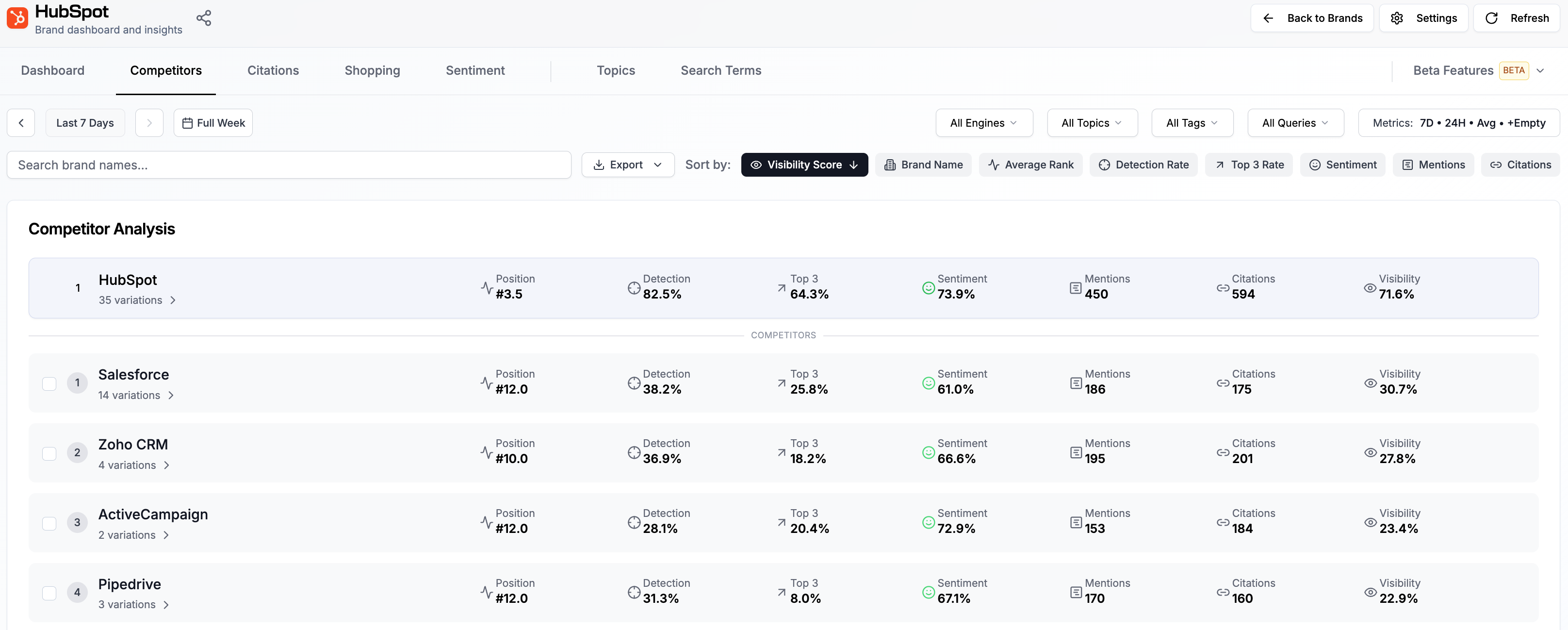
Rankscale does not only track your own brand, it also tracks your competitors across every AI engine. The Competitors tab gives you a complete view of how other brands appear alongside yours in AI-generated responses.
Filtering your View
At the top of the Competitor Tab, you can filter the data to focus on what matters most. Filter by topics, tags, specific search terms, AI engines, and time frame to narrow down the results to your liking.
Competitor Performance Metrics
The Competitors tab shows one row per competitor with the same metric set you know from your Brand Dashboard, so you can compare them directly against your brand: Visibility Score, Average Rank, Detection Rate, Top 3 Rate, Sentiment, Mentions, and Citations. Sort by any metric by clicking its column.
Drilling into the Details
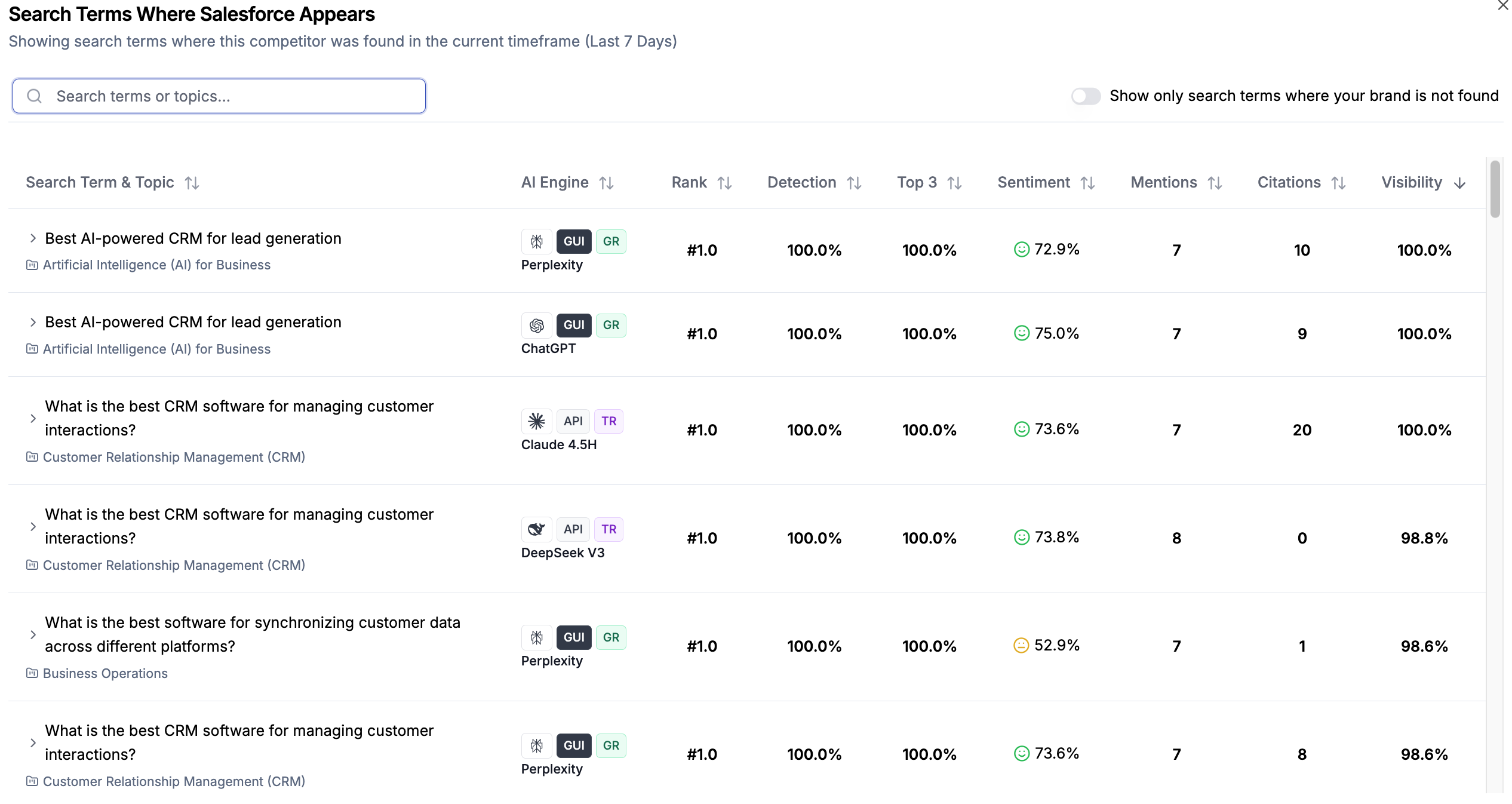
Click on any competitor or on your own brand to see a detailed breakdown. This view gives you detailed insights into how you or your competitors performed in individual search terms.
From there, View detailed insights takes you into the search term itself.
For more detailed insights on individual search term results, see 📄 Understanding your Search Term Results
Best Practices for Competitor Analysis
Review competitor data weekly to stay on top of market shifts
Focus on competitors with consistently high visibility - they represent the real competitive landscape
Use topic-level filtering to find niche opportunities where competitors are weak
Compare sentiment scores to understand how AI engines perceive your brand vs. competitors
Track your competitive position over time rather than focusing on single data points