Understanding your Search Term Results
Last updated: October 13, 2026
At Rankscale, we believe in full transparency. We do not gatekeep any information, which is why you have access to every layer of your visibility data, from high-level performance metrics all the way down to individual execution results.
This article walks you through the different levels of detail available for each search term.
Search Term Snapshot
When you open a search term (by using the little arrow left of the search term), the first thing you see is a snapshot of your latest metrics. This gives you a quick overview of how your brand is performing for this specific query.
The snapshot includes:
Visibility Score: Your overall visibility percentage for this search term across the selected AI engine.
Position: Your average ranking position in AI-generated responses.
Sentiment: How positively or negatively the AI engine talks about your brand in its response.
Detection: How often your brand is detected in the response at all.
Top 3: How often your brand appears in the top three positions.
Mentions: The number of times your brand is explicitly mentioned in the response.
Citations: The number of source citations that reference your brand or website.
You can also see your Top Competitors for this search term, ranked by visibility score, position, sentiment, detection, mentions, or citations.

View Detailed Insights
For a deeper look, click View detailed insights to open the complete result at the query level. This view shows you:
The full AI-generated response with brand rankings highlighted
Performance metrics for each brand mentioned
Citation URLs linked in the response
All brands mentioned and their positions
Search Query Fanouts: the sub-queries the AI engine executed as part of generating its response, including details on each fanout
This is the most granular view of a single execution, letting you see exactly what the AI engine returned and how your brand was represented.
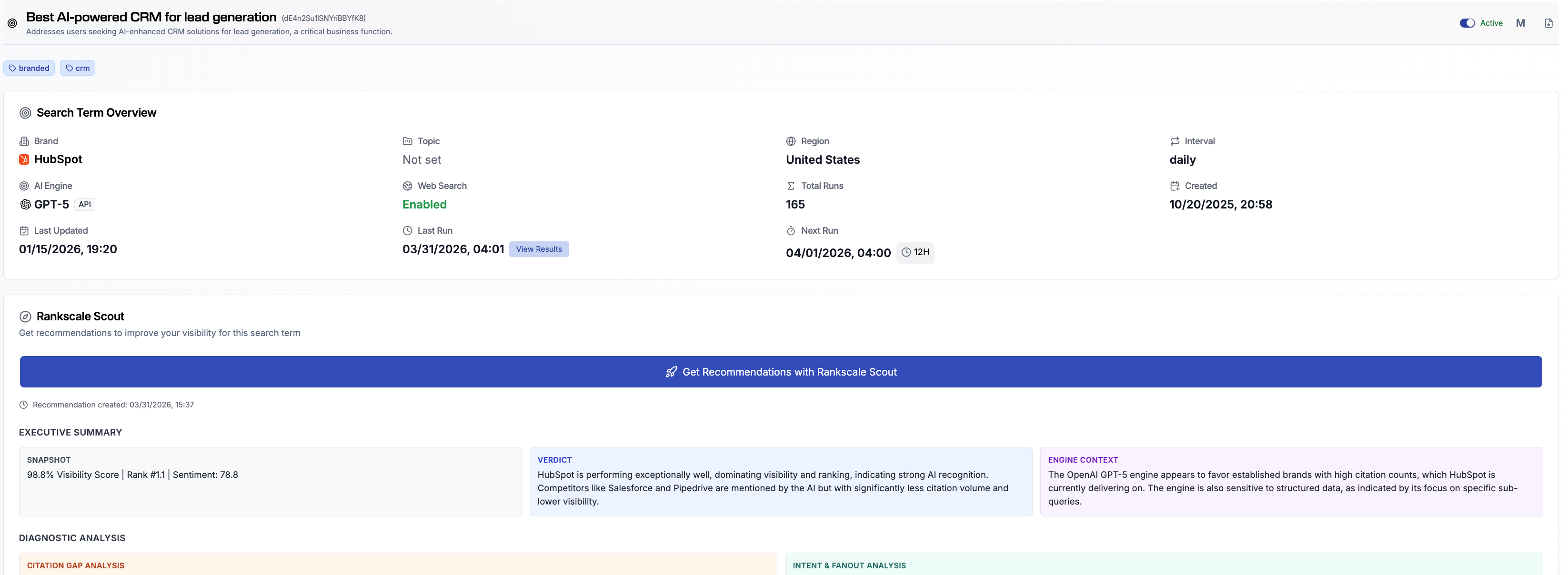
Rankscale Scout
If you want a summary instead of raw data, use Rankscale Scout. On the search term page, click Scout insights next to Brand Performance Metrics. The summary opens in a panel below.
Execution History
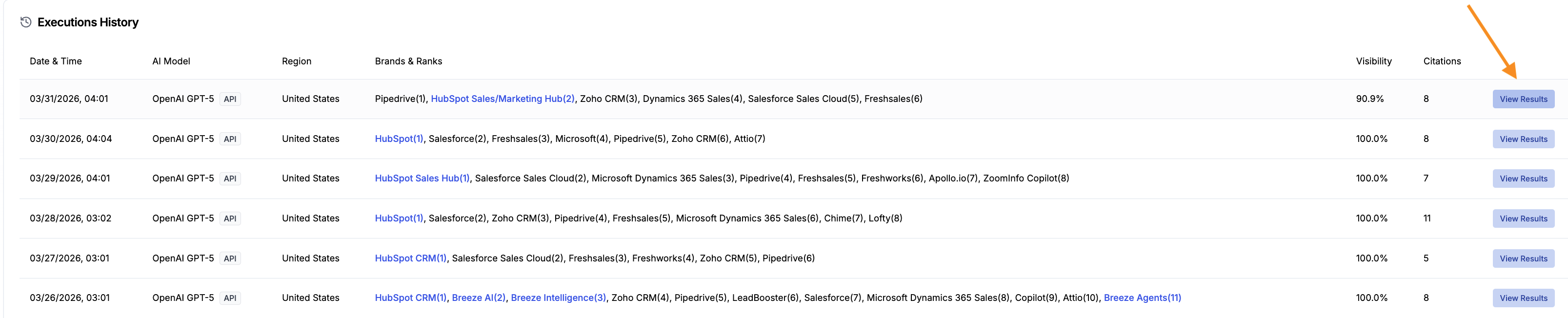
For those who want to go even deeper, scroll to the bottom of the search term page to find the Executions History. This table shows every single run that has been performed for this search term, including:
Date and time of each execution
The AI model used
Region
All brands detected with their ranking positions
Visibility score and citation count per execution
Click View Results on any row to open the full execution detail for that specific run. This lets you track how AI responses change over time and spot trends or sudden shifts in your brand's visibility.
Local Results for a Search Term
When AI engines answer a search term with map or place results (a list or map of local businesses), its search term page also shows a Local Results section. It shows your Share, Avg. Position and Detection % in those map results, the places that appeared, and where your listing trails competitors.
To see the map results of a single run, open it from Executions History with View Results. Runs that returned map results have a Maps tab listing every place in that answer.
For what each part means, see 📄 Understanding Local Results.