Sharing your Dashboard
Last updated: October 13, 2026
You can share a read-only view of your brand dashboard with teammates, clients, or stakeholders — no login required.
To create a shared link:
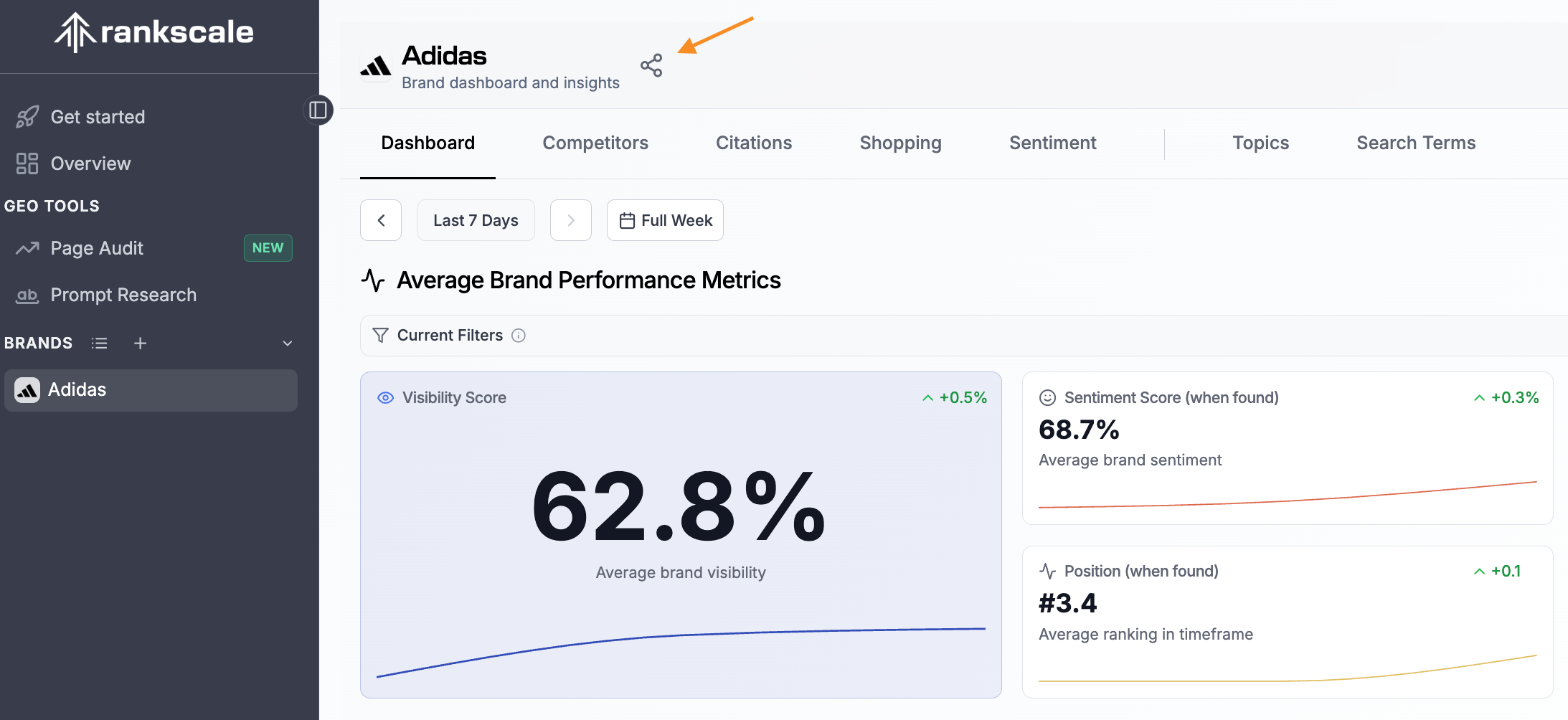
Click the share icon next to your brand name at the top of the dashboard.
In the Share Dashboard dialog, choose which tabs to include by toggling them under Visible tabs (e.g., Dashboard, Competitors, Citations, Query fanouts, Shopping & Ads, Local Results, Sentiment).
Under Filter behavior, select how viewers interact with your filters:
Start with current filters — The link opens with your current filter selection, but viewers can change filters on their own.
Lock current filters — Viewers see exactly what you see and cannot modify the filters.
Click Create link to generate your unique shareable URL.
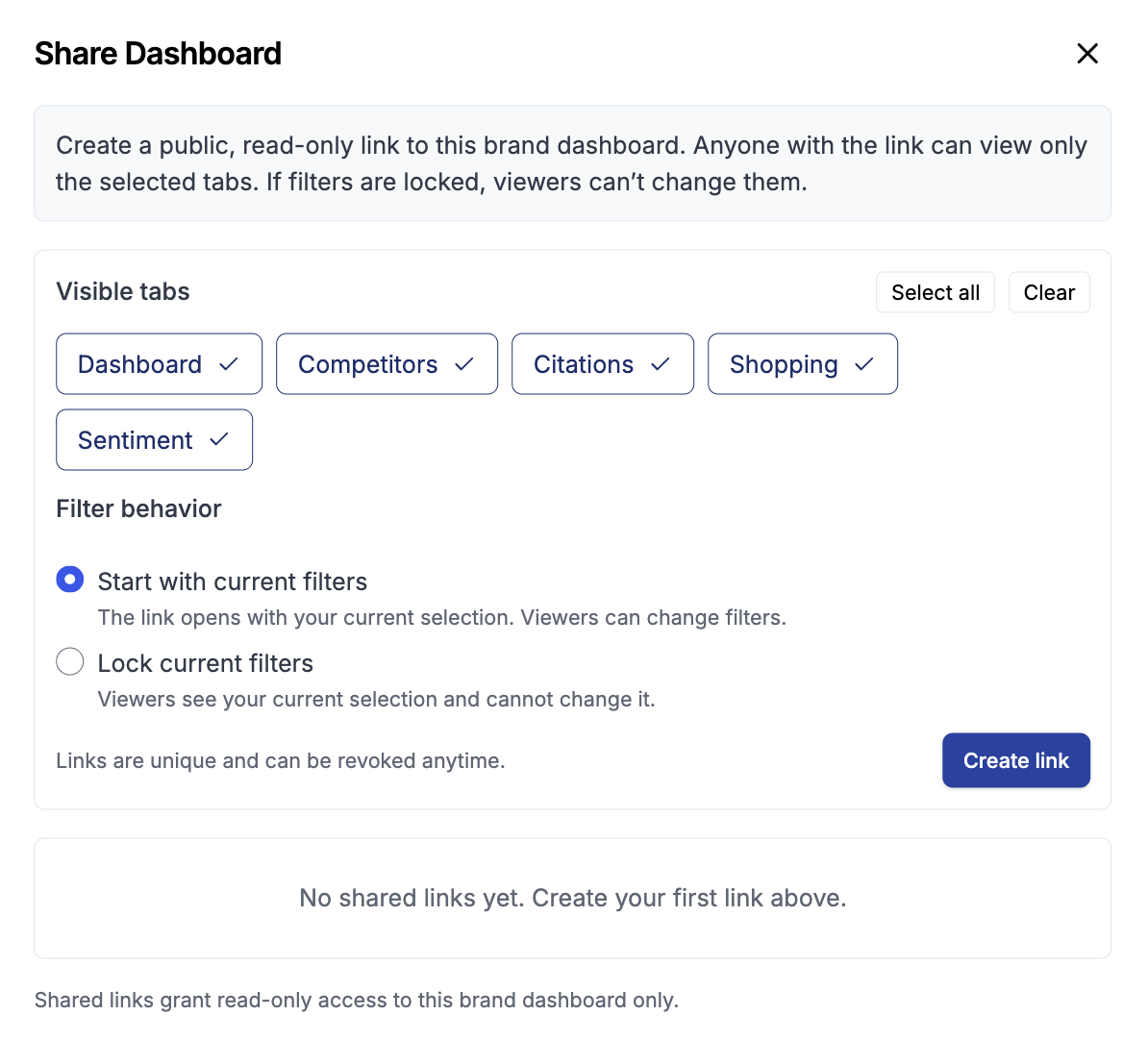
Each shared link is unique and grants read-only access to the selected brand dashboard only. You can revoke any shared link at any time.
When Shared Links Expire
A shared link expires 30 days after you create it. After that, the link stops working for everyone who has it.
You manage all your links in Settings > Sharing:
Extend +30d adds 30 days to an active link. You can use it once the link has 30 days or less left.
Reactivate turns an expired link back on for another 30 days. The URL stays the same, so the people you shared it with can keep using it.
Tip: If a client tells you their dashboard link stopped working, the link has most likely expired. Reactivate it in Settings > Sharing.
Set a Custom Expiry Date or Never Expire
On selected plans, you can choose your own expiry date for a link, or keep it active with no end date. See rankscale.ai/pricing for which plans include this.
Go to Settings > Sharing.
Click Expiry next to the link.
Pick a date under Expires on and click Save expiry date, or click Never expire.
A link without an end date shows Never expires and stays active until you revoke it.